MICROSOFT OFFICE INTEGRATION


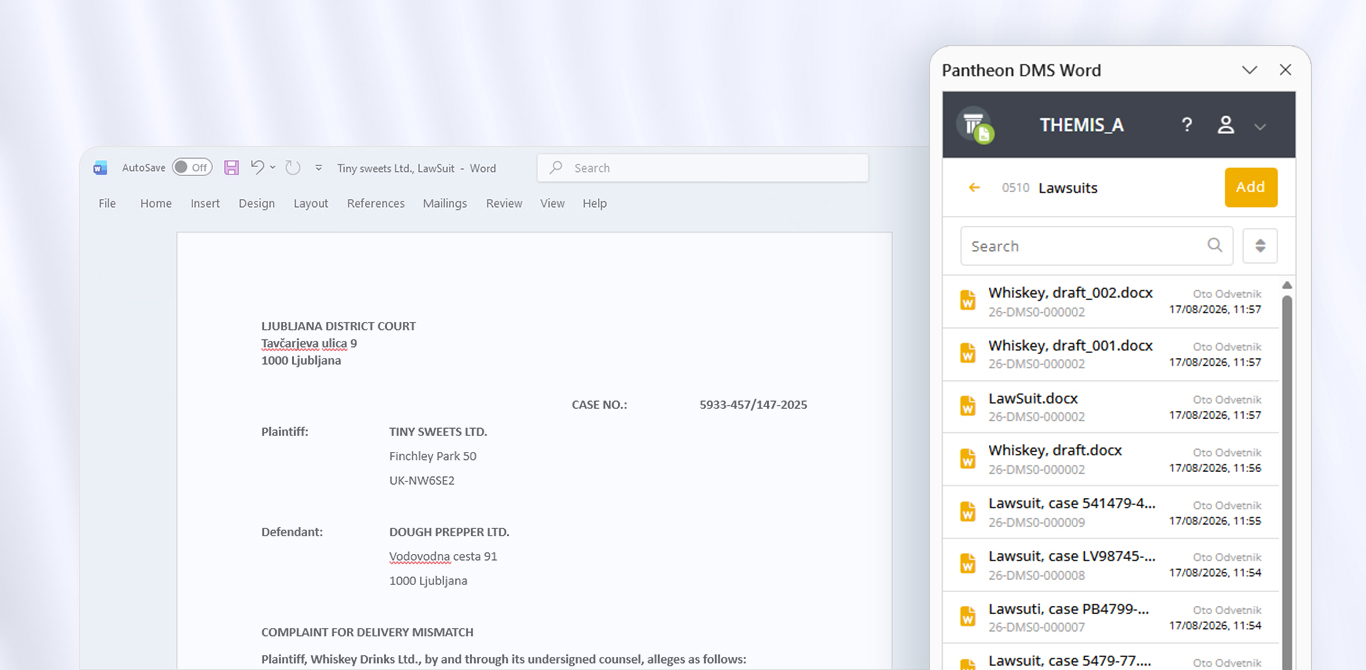
Microsoft Office Add-In for PANTHEON DMS

Access PANTHEON DMS documentation directly from Microsoft Word and Excel.

Open, edit, and save documents without having to manually transfer files or switch between different programs.


Frequently Asked Questions


What are Microsoft Office Add-Ins?

Microsoft Office Add-Ins are extensions for Microsoft Word and Microsoft Excel that provide direct access to documentation stored in PANTHEON DMS.

Which Microsoft Office applications support Add-Ins?

Microsoft Office Add-Ins are currently available for Microsoft Word and Microsoft Excel.

Can I edit documents directly from Word or Excel?

Yes. You can open documents, edit them, and save changes directly to PANTHEON DMS.

Can I create new documents?

Yes. You can create new Word documents and Excel spreadsheets and save them directly to your documentation in PANTHEON DMS.

What information is displayed next to the document?

In addition to the content, you can view document details, metadata, and related documents.

Where can I find the setup instructions?

Detailed instructions for the setup and use of Microsoft Office Add-Ins are available on the UserSite.

OUR SUCCESS STORIES

Satisfied customers are our measure of success


With the help of eBusiness services, we can provide high-quality information to clients of the accounting service and provide timely planning for the future.

Sabina Dimnik

| Data, d.o.o.


Do you want to be part of our story?

We’re proud that PANTHEON has been an essential part of the day-to-day business of exceptional individuals and companies for over 20 years.

We can help you improve your business results

Contact our friendly staff who will help you find a solution that will optimize your processes and make your day-to-day operations easier.

X